





WORLDWIDE COURSE DATA
Preloaded for over 40,000 (and counting) free golf courses around the world (NO subscription fees) – Contact Canmore directly to add new courses or suggest fixes.
FUNCTIONS YOU CAN RELY ON
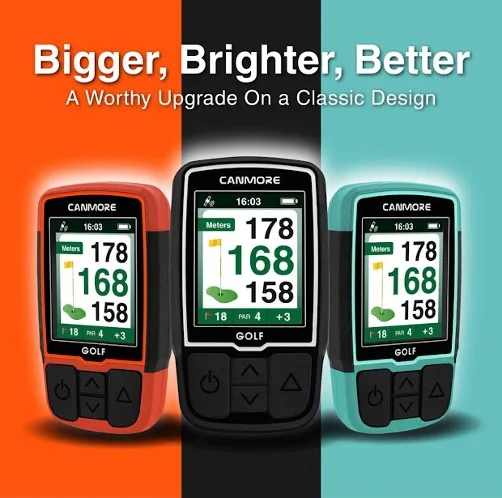
With auto hole advance function, the GPS updates your distance and hole as you move on to the next hole, giving you easy-to-access distance to green (F/M/B), hazard distance, shot distance, scorecard and of course—digital clock. Spacious buttons make it easy to click and select even with the gloves on
DURABILITY MAXIMIZED
The back and side of the GPS is wrapped in a rubberized coating to increase grip and absorb shock. You can be sure that the brand new HG200 can take more than just a few bumps and scratches. Comes with a powerful magnet for clipping it on your belt or pants pocket, or directly mounting on a metal surface such as your golf cart uprights. Just don’t forget it there!
VIBRANT DISPLAY
High-resolution 2 inch display with clear-to-view icons makes this friendly to navigate even under bright sunlight
Golf is a game of inchesIt takes more than a slick gadget to make a scratch player, but if you’re like us, you’ll take any edge you can get! The CANMORE Handheld Golf GPS are exactly the edge you need—it’s time to take your game places! Whether you are new to smart golf GPS range finders or are looking to try something new, the CANMORE Golf GPS give you the data you need, when you need it, without getting in the way of the game.Focus on the game, not the tech CANMORE ensures you can maximize your focus on your game with minimum interruptions that will throw off your tempo. Get the vital info you need while in golf mode without having to switch screens:- Par for the hole- Distance to front/middle/back of the green- Hazard presenceYou can also get quick access to your scorecard, walk your shot distance and see hazard info at the press of a button.Self-contained with easy updatesThe CANMORE Handheld Golf GPS doesn’t rely on external apps, unreliable Bluetooth connections or anything like that. Just connect the USB cable to your computer and its folder pops up. Drag and drop new golf courses or firmware updates onto the device, and it updates automatically.




There are no reviews yet.